

QUVIAI
QUVIAI transforms your ideas into stunning visuals, 3D scenes, and music effortlessly with powerful AI-driven tools for creators.
product Details
Explore More
Alternatives
About QUVIAI
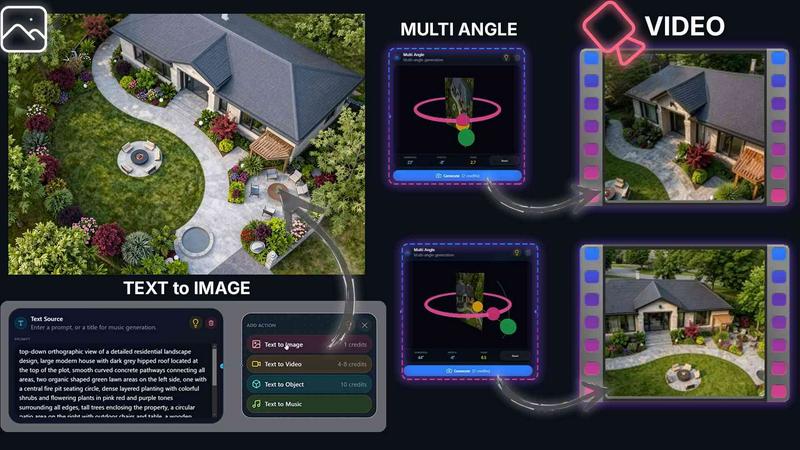
QUVIAI is a cutting-edge, all-in-one AI-powered creative platform specifically designed for architects, designers, and creators. It allows users to upload sketches, images, or 3D models and transforms them into stunning photorealistic renders, cinematic videos, multi-angle views, and original music, all within a single interface. The platform enhances the creative process with a built-in 3D workspace, enabling users to model, render, and iterate seamlessly without the need to switch between multiple tools. By utilizing intuitive text prompts, users can easily edit scenes, generate unique furniture and decorative objects, and stage them precisely where desired. With QUVIAI, creativity is expanded and streamlined, making it an essential tool for anyone looking to bring their architectural visions to life.
Features
AI Image Generation
QUVIAI's AI Image Generation feature allows users to turn any text prompt or reference image into photorealistic architectural renders in mere seconds. This rapid transformation streamlines the creative process, making it easier to visualize concepts and ideas.
AI Video Creation
The AI Video Creation tool enables users to animate still images, generate walkthroughs, or create cinematic sequences from a single prompt. This feature is particularly beneficial for showcasing designs in a dynamic format, enhancing presentations and client engagement.
Multi Angle Camera
With the Multi Angle Camera feature, users can generate multiple architectural viewpoints from one source image. This capability provides richer perspective sets, allowing for comprehensive visual presentations that are essential for client approvals and project showcases.
Object Staging
The Object Staging feature allows users to stage generated 3D objects into scene backgrounds, producing polished compositions with consistent lighting. This function enhances the overall quality of visual outputs, making them more attractive and professional.
Use Cases
Architectural Visualization
Architects can leverage QUVIAI to create detailed and photorealistic renders of their designs, helping clients visualize the final product before construction begins. This reduces misunderstandings and enhances client satisfaction.
Interior Design Presentations
Interior designers can utilize QUVIAI to generate dynamic presentations that include animated walkthroughs and multi-angle views of their proposed designs. This immersive experience captivates clients and makes the design concepts more relatable.
Marketing and Promotion
Real estate developers and architects can use QUVIAI to create stunning marketing materials. By producing high-quality images and videos, they can effectively promote properties, attracting potential buyers and investors.
Educational Purposes
Design schools and architectural programs can incorporate QUVIAI into their curricula, allowing students to experiment with AI-driven design tools. This hands-on experience prepares them for future careers in an increasingly digital and automated design landscape.
Frequently Asked Questions
What types of files can I upload to QUVIAI?
Users can upload various types of files including sketches, images, and 3D models. This flexibility allows for a wide range of creative possibilities tailored to individual projects.
Is QUVIAI available on mobile devices?
Yes, QUVIAI is accessible on web, iOS, and Android platforms, enabling users to work on their projects from virtually anywhere, whether on a desktop or mobile device.
How does the AI image generation process work?
The AI image generation process takes user-provided text prompts or reference images and uses advanced algorithms to create photorealistic architectural renders almost instantaneously, enhancing creativity and productivity.
Can I edit the generated visuals?
Absolutely. QUVIAI provides robust editing tools that allow users to refine and customize their visuals through masking, inpainting, and detailed adjustments, ensuring the outputs meet specific project requirements.
Similar to QUVIAI
Artaivo
Create AI videos, images, avatars, and audio in one creative workspace.
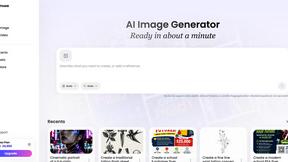
Vismuse
Create polished AI images and videos from prompts or references for social posts, ads, flyers, album covers, and campaigns.
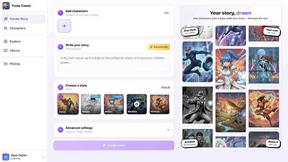
Yume Comic
Yume Comic is an AI-powered tool that transforms your story ideas into consistent, professional manga and webtoon panels in minutes.
Square Face Generator
Square Face Generator is a free browser-based avatar maker inspired by classic Japanese doll creators, letting you mix parts, pick colors, and.
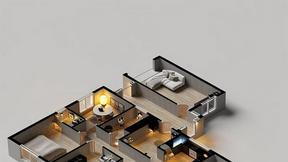
AI Architecture Generator
AI Architecture Generator turns sketches and prompts into photorealistic renders in 30 seconds for architects and designers.