

JustPDF
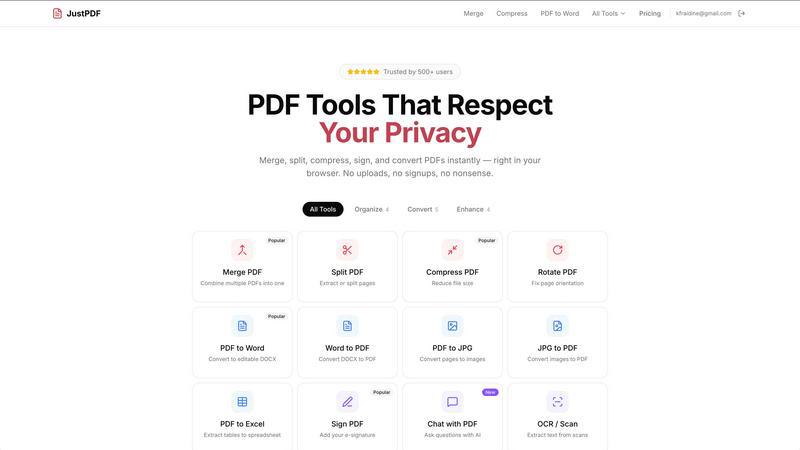
JustPDF is a privacy-first PDF toolkit offering 17 free, browser-based tools for seamless PDF management without file uploads.
product Details
Explore More
Alternatives
About JustPDF
JustPDF is a powerful online platform that provides users with 17 professional-grade PDF tools designed to operate entirely within their web browsers. Unlike other PDF tools, such as Smallpdf and iLovePDF, which require uploading files to external servers, JustPDF leverages JavaScript and WebAssembly to ensure that all processing occurs locally on the user's device. This approach guarantees that files remain private and secure, as they never leave the browser, a feature that can be easily verified using the Network tab in DevTools. JustPDF is ideal for individuals and organizations that require reliable PDF solutions without the hassle of creating an account or worrying about data privacy. Its suite of tools includes functionalities like merging, splitting, compressing, converting, and signing PDFs, making it a comprehensive solution for anyone needing to manage PDF documents effectively. With a free tier allowing three operations per day and a pro subscription starting at just $4 per month for unlimited access, JustPDF stands out as a cost-effective, user-friendly tool, particularly valuable for educational institutions due to its FERPA compliance.
Features
Merge PDF
The Merge PDF feature allows users to combine multiple PDF documents into a single file effortlessly. This is particularly useful for streamlining documents, such as reports, presentations, or contracts, into one cohesive package. Simply drag and drop your files into the interface, and JustPDF will handle the rest, ensuring that the merged document maintains the quality and formatting of the original files.
Split PDF
With the Split PDF feature, users can extract specific pages or sections from a larger PDF document. This tool is invaluable for anyone needing to isolate particular information, such as separating individual chapters from a textbook or extracting a single page from a lengthy report. The intuitive interface makes it easy to select the pages you want to keep or remove, enhancing document management efficiency.
Compress PDF
The Compress PDF feature enables users to reduce the file size of their PDFs quickly and easily. This is essential for optimizing documents for sharing via email or uploading to websites, as smaller files are easier to handle and transmit. JustPDF achieves this without sacrificing quality, allowing users to maintain the integrity of their documents while saving storage space.
Chat with PDF (AI)
The innovative Chat with PDF feature incorporates AI technology, allowing users to interact with their PDF documents in a conversational manner. Users can ask questions about the content within the PDF, making it easier to retrieve information without manually searching through pages. This feature enhances user experience, especially for educational purposes or when working with large volumes of information.
Use Cases
Academic Research
Students and researchers can utilize JustPDF to manage their academic papers effectively. By merging multiple articles into a single PDF or converting documents to and from various formats, users can streamline their research processes and ensure easy access to critical information.
Business Documentation
Professionals can benefit from JustPDF's capabilities by signing contracts, merging reports, or compressing files for easier sharing. The ability to manipulate PDFs without needing an account makes it a practical choice for busy professionals who need reliable and efficient tools on the go.
Personal Projects
Individuals working on personal projects, such as creating photo albums or organizing travel itineraries, can use JustPDF to convert images to PDFs, compress files for easier storage, and even add signatures to documents. Its user-friendly interface allows for quick and easy document management.
Educational Use
JustPDF is particularly beneficial for educators and students due to its FERPA compliance, making it suitable for managing sensitive educational records. Teachers can unlock PDFs for editing, convert materials for sharing, and use the OCR feature to digitize handwritten notes, all while ensuring student privacy.
Frequently Asked Questions
Is JustPDF completely free to use?
JustPDF offers a free tier that allows users to perform three operations per day without any sign-up required. For unlimited access, users can subscribe to the pro plan starting at $4 per month.
How does JustPDF ensure my files are secure?
All processing takes place within the user's browser using JavaScript and WebAssembly, meaning files never leave the device. This approach guarantees privacy and security, verifiable through the Network tab in DevTools.
Can I use JustPDF offline?
Yes, JustPDF works offline, allowing users to manage their PDF documents without needing an internet connection. This capability makes it a flexible tool for users who may not always have access to the internet.
What types of files can I convert with JustPDF?
JustPDF supports a variety of conversions, including PDF to Word, Word to PDF, PDF to JPG, JPG to PDF, PDF to Excel, and more. This versatility makes it an excellent choice for users needing to switch between different document formats.
Similar to JustPDF
Novastart
Apps and files on an infinite canvas where people and AI agents work together.
ButterShare
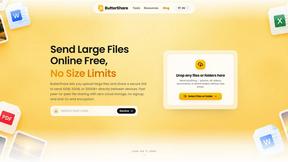
ButterShare is a browser-based peer-to-peer file transfer tool that lets you send large files and folders directly between devices without signup or c
AI Email Filter
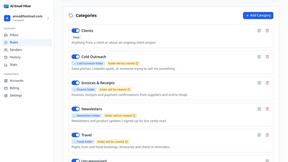
AI Email Filter sorts incoming mail into folders using plain-language prompts you write. Works with any IMAP mailbox; bring your own LLM if you want.

Product Launch Checklist
A free launch checklist for SaaS, apps, AI tools and more. Every step says why it matters and when you can skip it.
Kody Tools
Free collection of online developer utilities, code formatters, and digital converters designed to streamline your daily workflow.

tally counter
Online tally counter for attendance, workouts, inventory, visitors, sports scores, habits, and everyday counting.


iHatePosting
Create once, tailor for each platform, and schedule posts across 14 social networks from one simple dashboard.