

QuickTextTools
QuickTextTools provides 76 free browser-based text utilities for writers and creators to process, analyze, and format content instantly without any.
product Details
Explore More
Alternatives

About QuickTextTools
QuickTextTools is a free, user-friendly online platform that offers over 76 browser-based tools designed to enhance productivity for writers, marketers, developers, students, SEO professionals, and content creators. This comprehensive toolkit provides a variety of utilities such as text formatting tools, SEO analysis utilities, writing assistants, keyword management tools, and developer utilities, all aimed at simplifying workflows and saving time. The platform stands out by delivering fast, easy-to-use, and privacy-focused tools that operate directly in your browser, eliminating the need for complicated setups or software downloads. Whether you need to clean up a messy keyword list, analyze SEO meta tags, convert text case formatting, or improve your writing process, QuickTextTools provides practical solutions that help users work smarter and more efficiently. Every tool processes text instantly and completely within your own browser, ensuring a secure and hassle-free experience. There is no sign-up required, and all tools are 100% free forever. The platform is organized into clear categories including Writing Tools, SEO Tools, Text Cleaning Tools, Developer Tools, and Productivity Tools, making it easy to find the exact utility you need. QuickTextTools also features a popular tools section highlighting frequently used utilities like Word Counter, Character Counter, Case Converter, and Keyword Density Checker. Recently added tools expand the suite further with QR Code Generator, Random Password Generator, Pomodoro Timer, YouTube Title Generator, Instagram Caption Generator, and Hashtag Generator. With its commitment to privacy, speed, and accessibility, QuickTextTools is an essential resource for anyone who works with text and wants to streamline their daily tasks.
Features
Comprehensive Tool Library
QuickTextTools offers over 76 distinct online utilities, all accessible from a single platform. This extensive library covers a wide range of needs including text formatting, SEO analysis, writing assistance, keyword management, and developer utilities. Tools are organized into intuitive categories such as Writing Tools, SEO Tools, Text Cleaning Tools, Developer Tools, and Productivity Tools, allowing users to quickly locate the specific functionality they require. The platform continuously expands its collection with new additions like QR Code Generator and YouTube Title Generator, ensuring users always have access to the latest productivity solutions.
Browser-Based Privacy and Security
All tools operate entirely within your web browser, meaning your text data never leaves your device. This browser-based architecture guarantees that sensitive content, whether it is a draft blog post, SEO keyword list, or proprietary code, remains completely private and secure. There are no server uploads, data storage, or third-party access to your information. This privacy-focused design is ideal for professionals handling confidential materials, students working on academic projects, or anyone concerned about online data security. The instant processing also eliminates latency, providing immediate results without waiting for server responses.
No Sign-Up and 100% Free Access
QuickTextTools requires absolutely no registration, account creation, or personal information to use any of its 76+ tools. Users can access the entire suite immediately without providing an email address or creating a password. All tools are completely free with no hidden costs, premium tiers, or usage limits. There are no subscription fees, no paywalls, and no feature restrictions. This commitment to free and open access ensures that anyone, from students on a budget to professionals in large organizations, can benefit from the platform without financial barriers or administrative hurdles.
User-Friendly Interface and Instant Results
The platform is designed for simplicity and speed, following a straightforward workflow: Choose Your Tool, Paste, Process, and Done. Each tool features a clean, uncluttered interface with clear instructions and intuitive controls. Users can insert their text and receive instant results without navigating complex menus or adjusting technical settings. The homepage provides quick access to popular tools, recently added utilities, and category-based browsing. Additionally, users can bookmark the site or add it to their home screen for instant access, making QuickTextTools a convenient daily resource for text processing tasks.
Use Cases
Content Creation and Writing Improvement
Writers and content creators can use QuickTextTools to streamline their entire writing process. The Word Counter and Character Counter help ensure content meets specific length requirements for articles, social media posts, or academic papers. The Reading Time Calculator allows writers to estimate how long their content takes to read or speak, which is crucial for presentations or time-constrained formats. The Case Converter enables quick formatting changes, while the Text Cleaner removes unwanted formatting from copied text. These tools collectively help writers produce polished, properly formatted content more efficiently, saving hours of manual editing time.
SEO Content Optimization
SEO professionals and digital marketers can leverage QuickTextTools to optimize their content for search engines. The Keyword Density Checker analyzes the frequency and distribution of keywords within text, helping to avoid over-optimization or under-utilization. The Meta Tag Analyzer previews how search snippets will appear in results, allowing for adjustments to titles and descriptions. The SEO Title Generator and Keyword Builder assist in creating effective meta titles and expanding keyword lists. These tools enable SEO practitioners to fine-tune their content strategy, improve search engine rankings, and create more compelling search listings without needing complex SEO software.
Data Cleaning and Text Formatting
Professionals who work with large datasets or messy text can benefit significantly from the Text Cleaning Tools category. The Text Cleaner removes special characters, extra spaces, and hidden HTML tags instantly. The Remove Extra Spaces tool normalizes spacing, while the Duplicate Line Remover cleans up repetitive data entries. These utilities are invaluable for preparing data for analysis, formatting content for publication, or cleaning up text copied from various sources. Developers can also use the Text Compare Tool to highlight differences between two text versions, making it easy to track changes or verify data integrity.
Developer and Productivity Tasks
Developers and productivity-focused users can utilize QuickTextTools for a variety of technical and time-management tasks. The JSON Formatter beautifies and validates JSON code, while the Base64 Encoder and URL Encoder handle encoding needs. The QR Code Generator creates downloadable QR codes for sharing links or information. For productivity, the Pomodoro Timer and Countdown Timer help manage work sessions and breaks. The Random Word Generator and Random Password Generator assist in creating test data or secure credentials. These tools provide quick solutions for common developer and productivity challenges without requiring separate software installations.
Frequently Asked Questions
Is QuickTextTools really free to use?
Yes, QuickTextTools is completely free to use with no hidden costs or premium tiers. All 76+ tools are accessible without any payment, subscription, or registration. There are no usage limits, feature restrictions, or paywalls. The platform is committed to providing 100% free access forever, making it an ideal resource for students, professionals, and anyone who needs quick text processing utilities without financial commitment.
Do I need to create an account or sign up?
No, QuickTextTools requires absolutely no sign-up or account creation. You can start using any tool immediately upon visiting the website. There is no need to provide an email address, create a password, or share any personal information. This no-registration policy ensures instant access and protects your privacy, allowing you to use the tools anonymously and without any administrative hassle.
How does QuickTextTools protect my privacy?
QuickTextTools processes all text data entirely within your web browser. Your content never leaves your device or gets uploaded to any server. This browser-based architecture ensures that sensitive information, such as proprietary content, personal data, or confidential documents, remains completely private and secure. There is no data storage, tracking, or third-party access to the text you process. This privacy-focused approach is a core feature of the platform.
What types of tools are available on QuickTextTools?
QuickTextTools offers over 76 tools organized into several categories. Writing Tools include Word Counter, Character Counter, Sentence Counter, and Reading Time Calculator. SEO Tools feature Keyword Density Checker, Meta Tag Analyzer, SEO Title Generator, and Keyword Builder. Text Cleaning Tools include Text Cleaner, Remove Extra Spaces, and Duplicate Line Remover. Developer Tools offer JSON Formatter, Base64 Encoder, URL Encoder, and QR Code Generator. Productivity Tools include Pomodoro Timer, Countdown Timer, Text Sorter, and Random Word Generator. New tools are added regularly to expand the suite.
Similar to QuickTextTools
Novastart
Apps and files on an infinite canvas where people and AI agents work together.

ButterShare
ButterShare is a browser-based peer-to-peer file transfer tool that lets you send large files and folders directly between devices without signup or c
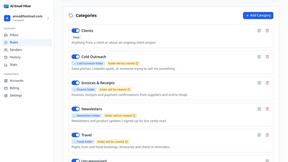
AI Email Filter
AI Email Filter sorts incoming mail into folders using plain-language prompts you write. Works with any IMAP mailbox; bring your own LLM if you want.

Product Launch Checklist
A free launch checklist for SaaS, apps, AI tools and more. Every step says why it matters and when you can skip it.

Kody Tools
Free collection of online developer utilities, code formatters, and digital converters designed to streamline your daily workflow.

tally counter
Online tally counter for attendance, workouts, inventory, visitors, sports scores, habits, and everyday counting.


iHatePosting
Create once, tailor for each platform, and schedule posts across 14 social networks from one simple dashboard.