

ytskim
ytskim uses AI to transcribe and summarize YouTube videos, saving you time by extracting key insights instantly.
product Details
Explore More
Alternatives
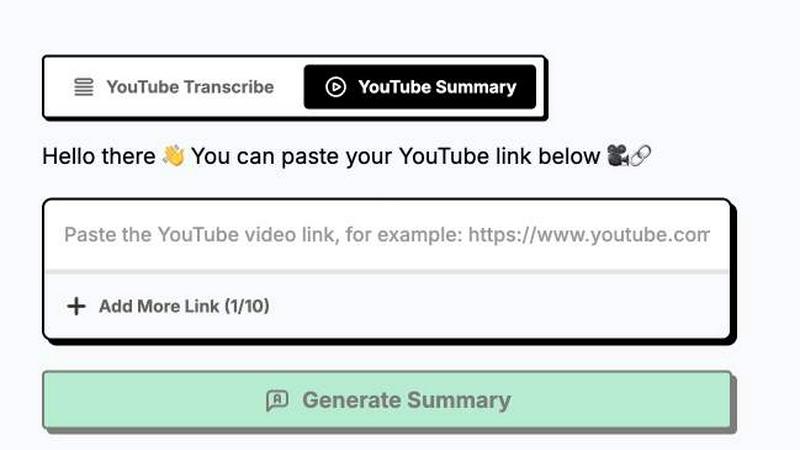
About ytskim
ytskim is a powerful AI-driven tool designed to extract accurate transcripts and generate structured summaries from any YouTube video in seconds. This product addresses the growing need for quick, reliable access to video content in text form, enabling users to capture key information without watching entire videos. By leveraging advanced speech recognition and natural language processing technologies, ytskim transforms spoken content into well-organized written formats that are easy to read, search, and repurpose. The tool is ideal for content creators, researchers, students, journalists, marketers, and professionals who regularly consume video content for learning, analysis, or content production. Its main value proposition lies in its speed and accuracy: users can obtain a full transcript and a concise summary of any YouTube video within moments, saving hours of manual transcription and note-taking. ytskim supports a wide range of languages and video lengths, making it a versatile solution for global users. The tool is built for simplicity, requiring only a video URL to generate results. Whether you need to capture lecture notes, extract quotes from interviews, summarize product reviews, or create written content from video tutorials, ytskim delivers consistent, high-quality output that enhances productivity and information accessibility. Its structured summaries highlight key points, main arguments, and actionable insights, making it easier to digest and utilize video content effectively.
Features
Instant Transcript Extraction
ytskim provides lightning-fast transcription of any YouTube video by simply pasting the video URL. The tool uses state-of-the-art speech recognition algorithms to convert spoken words into accurate text with high precision, even in videos with background noise, multiple speakers, or varying accents. The transcript is generated in seconds, regardless of video length, and is displayed in a clean, readable format. Users can copy the full transcript or download it for offline use, making it an essential feature for anyone who needs written records of video content for documentation, analysis, or reference purposes.
Structured Summary Generation
Beyond simple transcription, ytskim automatically generates structured summaries that distill the video's core content into digestible sections. The AI analyzes the transcript to identify main themes, key points, supporting details, and conclusions. The summary is organized with clear headings and bullet points, allowing users to grasp the video's essence at a glance. This feature is particularly valuable for long-form content like lectures, webinars, or documentaries, where extracting actionable insights quickly is critical. The structured format saves time and enhances comprehension by presenting information in a logical, hierarchical manner.
Multi-Language Support
ytskim supports transcription and summarization across multiple languages, catering to a diverse global audience. The tool can accurately process videos in English, Spanish, French, German, Chinese, Japanese, Arabic, and many other languages. This feature ensures that users from different linguistic backgrounds can benefit from the tool's capabilities without language barriers. The AI models are trained on vast multilingual datasets, providing reliable performance for both common and less widely spoken languages. Multi-language support makes ytskim an indispensable resource for international teams, language learners, and cross-border content analysis.
Download and Export Options
ytskim offers flexible download and export options, allowing users to save transcripts and summaries in various formats including plain text, PDF, and markdown. This feature enables seamless integration with note-taking apps, content management systems, and research workflows. Users can export clean, formatted documents for sharing, publishing, or archiving. The download process is straightforward, requiring just a single click, and the exported files retain the structured formatting for easy readability. This functionality is essential for professionals who need to incorporate video insights into reports, articles, or presentations.
Use Cases
Academic Research and Study
Students and researchers can use ytskim to quickly transcribe and summarize educational YouTube videos, lectures, and academic talks. Instead of watching lengthy recordings multiple times, they can obtain a written transcript and a structured summary that highlights key theories, data points, and arguments. This accelerates the research process, facilitates note-taking, and helps in preparing for exams or writing papers. The tool is especially useful for distance learners and those who need to reference video content in citations or bibliographies.
Content Creation and Repurposing
Content creators, bloggers, and social media managers can leverage ytskim to repurpose YouTube video content into blog posts, articles, social media captions, or email newsletters. By extracting transcripts and summaries, they can quickly generate written material that complements their video content, improving SEO and audience engagement. The structured summaries provide ready-made outlines for written pieces, saving significant time in content planning and production. This use case is ideal for creators who publish across multiple platforms and need to maximize the value of each video.
Journalism and Media Monitoring
Journalists and media professionals can use ytskim to transcribe interviews, press conferences, news reports, and analysis videos from YouTube. The tool enables rapid fact-checking, quote extraction, and content verification without manually replaying footage. Structured summaries help journalists identify the most newsworthy segments and craft accurate, timely stories. Media monitoring teams can also use ytskim to process large volumes of video content efficiently, tracking trends, statements, and narratives across different channels and languages.
Corporate Training and Meeting Notes
Business professionals can apply ytskim to transcribe and summarize internal training videos, recorded meetings, webinars, and product demonstrations hosted on YouTube. This allows employees to access key information quickly, review important decisions, and create documentation for future reference. The tool enhances knowledge retention and ensures that team members who missed live sessions can catch up efficiently. Structured summaries also help in creating training manuals, onboarding materials, and project documentation from video sources.
Frequently Asked Questions
How does ytskim generate transcripts and summaries from YouTube videos?
ytskim works by taking a YouTube video URL as input. It then processes the video's audio using advanced speech recognition technology to produce an accurate text transcript. After transcription, the tool applies natural language processing algorithms to analyze the content, identify main themes, and generate a structured summary with key points and headings. The entire process takes only seconds, and results are displayed directly in the browser for immediate use.
Is ytskim free to use, or does it require a subscription?
The available context does not specify pricing details for ytskim. Users should visit the official ytskim website or contact the product team to learn about current pricing plans, free trial options, or subscription tiers. The tool may offer a limited free version for basic use, with premium features available through paid plans.
What languages does ytskim support for transcription and summarization?
ytskim supports a wide range of languages including English, Spanish, French, German, Chinese, Japanese, Arabic, Portuguese, Italian, Russian, Korean, and many others. The tool is designed to handle multilingual content effectively, though accuracy may vary depending on audio quality, speaker clarity, and language complexity. Users can expect reliable performance for most major languages.
Can I download the transcript and summary from ytskim?
Yes, ytskim provides download and export options that allow users to save transcripts and summaries in multiple formats such as plain text, PDF, and markdown. This makes it easy to integrate the extracted content into other applications, share it with colleagues, or store it for offline access. The exported files retain the structured formatting for clarity and ease of use.
Similar to ytskim
Novastart
Apps and files on an infinite canvas where people and AI agents work together.
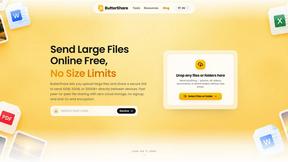
ButterShare
ButterShare is a browser-based peer-to-peer file transfer tool that lets you send large files and folders directly between devices without signup or c
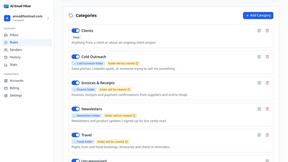
AI Email Filter
AI Email Filter sorts incoming mail into folders using plain-language prompts you write. Works with any IMAP mailbox; bring your own LLM if you want.
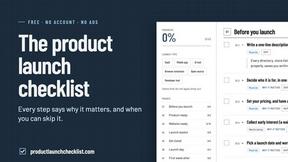
Product Launch Checklist
A free launch checklist for SaaS, apps, AI tools and more. Every step says why it matters and when you can skip it.
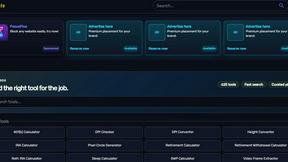
Kody Tools
Free collection of online developer utilities, code formatters, and digital converters designed to streamline your daily workflow.
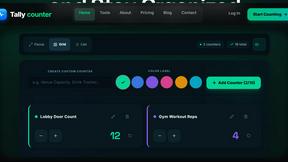
tally counter
Online tally counter for attendance, workouts, inventory, visitors, sports scores, habits, and everyday counting.


iHatePosting
Create once, tailor for each platform, and schedule posts across 14 social networks from one simple dashboard.