

Caption.IM
Caption.im converts audio to real-time captions, translations, and summaries on Mac, ensuring privacy and seamless integration with any app.
product Details
Explore More
Alternatives

About Caption.IM
Caption.im is a cutting-edge AI captioning assistant specifically designed for macOS users. This innovative tool converts audio from your Mac into real-time captions, translations, and structured meeting notes, all processed locally to ensure your privacy. Unlike traditional browser extensions or meeting bots, Caption.im directly captures system audio, making it compatible with virtually any application such as Zoom, Google Meet, Microsoft Teams, YouTube, online courses, podcasts, and livestreams. This makes it an invaluable resource for professionals, educators, and content creators looking to enhance communication and accessibility. By providing live subtitles for conversations, instant translations, and detailed summaries, Caption.im empowers users to manage information more effectively while maintaining data security. With a user-friendly interface designed for seamless integration into your workflow, Caption.im transforms how you interact with audio content on your Mac.
Features
Real-Time Transcription
Caption.im offers real-time transcription capabilities, allowing users to generate live captions for meetings, videos, podcasts, and calls. This feature ensures that you never miss out on critical information during conversations and enhances accessibility for all participants.
Instant Translation
This tool supports instant translation, enabling users to understand content in multiple languages with real-time translated subtitles. This feature is particularly beneficial for multilingual teams and global communication, breaking down language barriers and fostering collaboration.
Floating Subtitle Window
The floating subtitle window provides an elegant transparent overlay that integrates seamlessly with macOS. Users can easily view captions without disrupting their workflow, allowing for a smooth and uninterrupted experience during video calls or content consumption.
AI Meeting Summaries
After conversations, Caption.im automatically generates structured summaries and key insights. This feature organizes discussions into clear action points and highlights, making it easier for users to review and share important information without sifting through lengthy recordings.
Use Cases
Remote Meetings
In remote meetings, Caption.im enhances communication by providing real-time captions and translations. Participants can follow along easily, ensuring that everyone is engaged and on the same page, regardless of their language proficiency.
Online Learning
For online learners, Caption.im transforms educational content by adding live subtitles to lectures and courses. This feature supports diverse learning styles and improves comprehension, making it a valuable tool for students and educators alike.
Multilingual Teams
Multilingual teams benefit significantly from Caption.im's instant translation feature. By enabling real-time understanding of discussions in various languages, teams can collaborate more effectively and avoid misunderstandings that may arise from language differences.
Content Creation
Content creators can utilize Caption.im to generate accurate subtitles for their videos and podcasts. This not only enhances viewer accessibility but also improves search engine optimization (SEO) by making content more discoverable to a wider audience.
Frequently Asked Questions
How does Caption.im ensure my privacy?
Caption.im processes all audio data locally on your device, meaning that your conversations never leave your Mac. This privacy-first approach ensures that sensitive information remains confidential.
What applications are compatible with Caption.im?
Caption.im is designed to work seamlessly with a wide range of applications including Zoom, Google Meet, Microsoft Teams, YouTube, online courses, podcasts, and any other application that plays audio on your Mac.
Do I need an internet connection to use Caption.im?
No, Caption.im operates entirely on your local device and does not rely on an internet connection for audio processing. This allows for faster performance and enhanced privacy.
Is Caption.im optimized for Apple Silicon?
Yes, Caption.im is specifically optimized for Apple Silicon (M1, M2, M3 and later), delivering ultra-fast speech recognition with minimal latency and efficient power usage, ensuring a smooth user experience on the latest Mac models.
Similar to Caption.IM
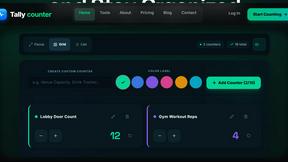
tally counter
Online tally counter for attendance, workouts, inventory, visitors, sports scores, habits, and everyday counting.

iHatePosting
Create once, tailor for each platform, and schedule posts across 14 social networks from one simple dashboard.

PDFWix
PDFWix is a free online PDF toolkit designed to make everyday PDF tasks simple, fast, and private.
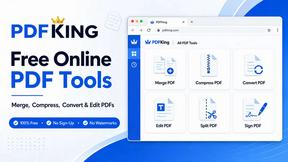
PDFKing
Free online PDF tools to merge, compress, convert, edit, sign, and manage documents—no signup, watermarks, or daily limits.



Video2URL
Turn videos, images, PDFs, and files into shareable links with fast uploads and privacy-friendly controls.
