

MacBrightness
MacBrightness unlocks your Mac's hidden brightness range, doubling screen visibility in direct sunlight with your existing keys.
product Details
Explore More
Alternatives

About MacBrightness
MacBrightness is a specialized software utility designed for MacBook Pro users who need their screen to be significantly brighter than what macOS natively allows. The application unlocks the hidden brightness range of compatible Mac displays, enabling them to reach up to 1,600 nits of sustained brightness across all applications, not just HDR video content. This addresses a common frustration for professionals and travelers who find their screens become unreadable mirrors in direct sunlight, on sunny patios, or near bright windows. The product is built for MacBook Pro 14-inch and 16-inch models with M-series Pro or Max chips, as well as the Pro Display XDR, which feature mini-LED panels capable of sustaining high brightness levels. MacBrightness operates seamlessly with the existing brightness keys on the keyboard, requiring no new shortcuts, menu-bar navigation, or complex setup. It achieves this without noticeable CPU overhead or low-level system hacks, simply opening the brightness range that the display already reserves for HDR content. The software offers a free Splitscreen Mode trial that brightens half the screen so users can compare the difference side by side, with a one-time purchase unlocking full-screen brightness. There are no subscriptions, accounts, or complicated configurations, making it an accessible solution for anyone who works outdoors or in bright environments.
Features
System-Wide Brightness Extension
MacBrightness extends the brightness range of compatible Mac displays system-wide, meaning every application benefits from the additional luminance. Unlike macOS which typically caps brightness and reserves the full 1,600 nits only for HDR video content, this software makes the extra brightness available in every app, from web browsers and text editors to design software and video conferencing tools. This ensures consistent readability and visual quality regardless of what you are working on, effectively doubling the usable brightness of your screen in all contexts.
Native Keyboard Integration
The software works with the brightness keys already present on your MacBook Pro keyboard, eliminating the need to learn new shortcuts, install additional hardware, or navigate through menu bars. Users simply press the brightness up key past the old limit, and the entire screen continues to brighten. This intuitive integration makes the transition seamless and requires no training or adaptation period, allowing users to access the extended brightness range exactly as they would adjust normal brightness.
Splitscreen Mode for Free Trial
MacBrightness offers a unique free trial through its Splitscreen Mode, where one half of the screen jumps to full brightness while the other half remains at the standard macOS brightness level. This side-by-side comparison allows users to see the exact difference the software makes before committing to a purchase. The Splitscreen Mode remains free for as long as the user wants, providing an unlimited evaluation period to test the software in various lighting conditions and workflows.
No Performance Overhead
The application operates with no noticeable CPU overhead and uses no low-level system hacks to achieve its brightness extension. It simply opens the HDR brightness range that the display already supports and keeps available for HDR content. This means users experience no battery life reduction, no system slowdown, and no interference with other applications or system processes. The software is lightweight and efficient, designed to run quietly in the background without impacting overall Mac performance.
Use Cases
Outdoor Work and Remote Productivity
Professionals who frequently work outdoors, such as at sunny cafes, park benches, patios, or balconies, benefit enormously from MacBrightness. Standard macOS brightness often turns the screen into a reflective mirror in direct sunlight, making it impossible to read text, view images, or participate in video calls. With the extended brightness range, users can comfortably work in these environments without squinting, adjusting their posture, or seeking shade. This is particularly valuable for digital nomads, freelancers, and remote workers who choose their workspace based on location rather than lighting conditions.
Travel and Commuting
Frequent travelers who use their MacBook Pro on airplanes, trains, or in bright airport lounges face constant screen visibility challenges. MacBrightness ensures the screen remains readable regardless of ambient lighting conditions, whether sitting next to a bright window on a plane or working in a sun-drenched airport terminal. The software makes these environments productive rather than frustrating, allowing users to continue working, watching content, or browsing without interruption from glare or insufficient brightness.
Creative Professional Work
Designers, photographers, video editors, and other creative professionals require accurate screen visibility for color-critical work. MacBrightness provides the extra luminance needed to evaluate images and videos in bright environments where standard brightness levels would wash out details or make accurate color assessment impossible. The system-wide application ensures that design software, photo editors, and video playback all benefit from the extended range, maintaining visual fidelity across the entire workflow.
Outdoor Presentations and Demonstrations
Professionals who conduct presentations, client demonstrations, or training sessions outdoors or in brightly lit rooms will find MacBrightness invaluable. The ability to push screen brightness beyond standard limits ensures that content remains visible and impactful even when competing with direct sunlight or harsh overhead lighting. This eliminates the need for finding shaded areas or adjusting presentation schedules based on lighting conditions, making outdoor meetings and demonstrations more practical and professional.
Pricing
MacBrightness offers a straightforward pricing model with a one-time purchase of $5. There are no subscription fees, recurring charges, or hidden costs. The software provides a free Splitscreen Mode trial that brightens half the screen indefinitely, allowing users to evaluate the product before purchasing. A single license unlocks full-screen brightness across all applications, with no limits on usage or number of devices. This simple, affordable pricing makes MacBrightness accessible to anyone who needs improved screen visibility in bright environments.
Frequently Asked Questions
Does MacBrightness work with all Mac models?
MacBrightness is specifically designed for MacBook Pro 14-inch and 16-inch models with M-series Pro or Max chips, as well as the Pro Display XDR. These devices feature mini-LED panels capable of sustaining approximately 1,600 nits of brightness. Other Mac models do not have the hardware capability to support this extended brightness range, so the software will not function on them. Users should verify their Mac model compatibility before downloading.
Will using MacBrightness damage my display or reduce its lifespan?
MacBrightness only accesses the HDR brightness range that your display already supports and uses for HDR content. The software does not push the display beyond its designed capabilities or use any aggressive overclocking techniques. Apple engineers designed these mini-LED displays to sustain 1,600 nits for HDR content, and MacBrightness simply makes that same range available for all content. There is no evidence that using the full brightness range for standard content will damage the display or reduce its lifespan.
How do I access the free trial and what does it include?
To access the free trial, download and open MacBrightness from the official website. The software automatically opens in Splitscreen Mode, where one half of your screen jumps to full brightness while the other half remains at the standard macOS level. This allows you to see the difference side by side. The Splitscreen Mode remains free for as long as you want, with no time limit or subscription requirement. To unlock full-screen brightness, you purchase a one-time license.
Does MacBrightness affect battery life or system performance?
MacBrightness is designed to have no noticeable CPU overhead and uses no low-level system hacks. It operates efficiently in the background without consuming significant processing power or memory. However, running the display at higher brightness levels will naturally consume more battery power, as brighter displays require more energy. This is a physical characteristic of the display technology itself, not a result of the software. Users can expect battery life to be similar to watching HDR content at maximum brightness.
Similar to MacBrightness
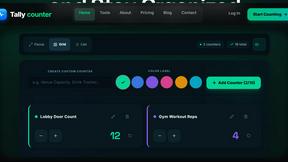
tally counter
Online tally counter for attendance, workouts, inventory, visitors, sports scores, habits, and everyday counting.

iHatePosting
Create once, tailor for each platform, and schedule posts across 14 social networks from one simple dashboard.

PDFWix
PDFWix is a free online PDF toolkit designed to make everyday PDF tasks simple, fast, and private.
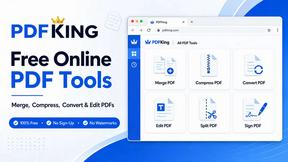
PDFKing
Free online PDF tools to merge, compress, convert, edit, sign, and manage documents—no signup, watermarks, or daily limits.


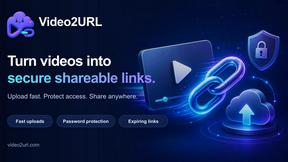
Video2URL
Turn videos, images, PDFs, and files into shareable links with fast uploads and privacy-friendly controls.
