
RoomCreator
Upload any photo to instantly generate stunning, professional AI designs for your home with no skills required.
product Details
Explore More
Alternatives
About RoomCreator
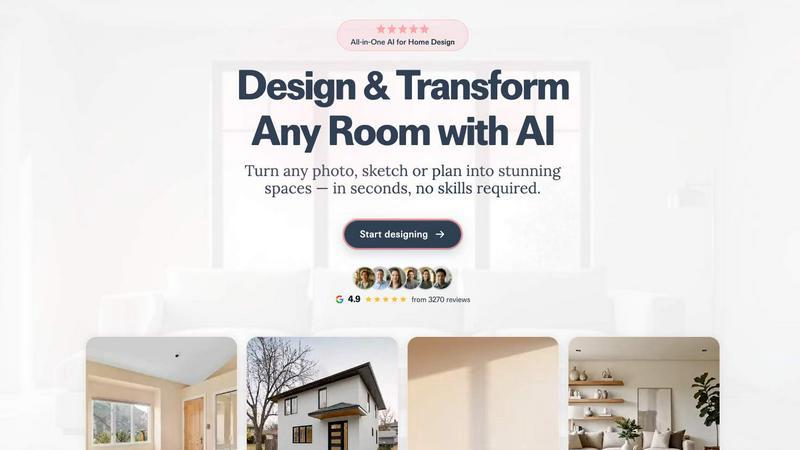
RoomCreator is an all-in-one AI-powered home design platform that empowers homeowners, DIY enthusiasts, and real estate professionals to visualize and transform any space with unprecedented speed and ease. At its core, RoomCreator democratizes interior and exterior design by allowing users to upload a simple photo of a room, kitchen, bedroom, or exterior and receive multiple, hyper-realistic redesigns in as little as 10 seconds. The platform eliminates the need for expensive design software or professional skills, making sophisticated visualization accessible to everyone. Its value proposition lies in enabling confident design decisions before any physical renovation or purchase begins, saving users time, money, and uncertainty. With a suite of specialized AI tools, RoomCreator goes beyond simple filters to offer smart layout changes, furniture rearrangement, material swaps, and even cinematic video tours, providing a comprehensive solution for planning, staging, and reimagining living spaces.
Features
Instant AI Interior Redesign
This flagship feature allows users to upload a photo of any interior space and instantly generate multiple professionally designed variations. The AI analyzes the room's dimensions and features before applying new styles—such as Modern, Scandinavian, or Bohemian—complete with realistic furniture, color palettes, flooring, and lighting. It provides a tangible before-and-after comparison, enabling users to explore different aesthetics and layouts tailored to their exact space without any manual design work.
Exterior Designer & Paint Visualizer
Specifically designed for curb appeal, this tool lets homeowners and real estate agents test exterior transformations using a single photo. Users can visualize new paint colors, siding materials, roofing styles, and landscaping elements applied to their home's facade. This allows for confident decision-making for repainting projects, renovations, or enhancing property listings with compelling, realistic visuals of the home's potential.
Precision Brush Editor (Inpaint Tool)
Offering granular control, the Brush Editor enables users to make targeted changes without regenerating an entire image. By simply brushing over a specific area—like a piece of furniture, decor, or wall section—users can remove or replace that element. This feature is perfect for experimenting with individual items, decluttering a specific corner, or adjusting design elements while preserving the rest of the room's new look.
Empty Room Generator & Sketch to Render
This dual-functionality tool serves two key purposes. First, it can instantly remove all furniture and objects from a room photo, leaving a clean canvas of walls, floors, and windows to visualize true potential. Second, it can transform hand-drawn sketches, floor plans, or rough layout concepts into photorealistic interior images, bridging the gap between early ideas and realistic visualization for planning and presentations.
Use Cases
Home Renovation Planning
Homeowners can use RoomCreator to test major renovation ideas risk-free. Before committing to new paint, flooring, or furniture layouts, they can upload photos of their current space and see realistic previews of various styles and configurations. This visual confirmation helps in making confident decisions, aligning family preferences, and ensuring the planned changes will work aesthetically and functionally in the actual room.
Real Estate Listing Enhancement
Real estate agents can significantly improve their property listings by transforming photos of empty, outdated, or cluttered rooms. By generating beautifully staged interior images or refreshed exterior visuals, they can create more attractive and marketable listings that help properties stand out, attract more potential buyers, and potentially sell faster and at a better price.
Interior Design Concept Visualization
DIY lovers and design enthusiasts can use the platform to experiment with their creativity. Whether trying out bold new color schemes, mixing furniture styles, or planning a room's layout from a simple sketch, RoomCreator provides a fast, cost-effective way to iterate on ideas and develop a coherent design vision before sourcing any materials or making purchases.
Investment Property Analysis
Individual real estate investors and house flippers can utilize RoomCreator to evaluate a property's renovation potential and showcase its future value. By visualizing different upgrade options for kitchens, bathrooms, or living areas, they can plan cost-effective renovations, create compelling "after" images for funding proposals, and accurately assess the design impact on the property's market value.
Frequently Asked Questions
How accurate and realistic are the AI-generated redesigns?
RoomCreator's AI is trained to produce hyper-realistic previews that respect the geometry, lighting, and proportions of your uploaded photo. While the results are highly detailed and lifelike, intended for visualization and inspiration, they are computer-generated interpretations. Factors like exact fabric textures or specific brand furniture models may vary, but the overall style, layout, and color application are accurately represented to support confident design decisions.
What kind of photos work best with RoomCreator?
The platform is designed to be flexible. Clear, well-lit photos taken from a corner of the room (showing two walls) yield the best results. However, the AI can also work with messier rooms, pixelated images, or even rough hand-drawn sketches. For exterior redesigns, a straight-on photo of the home's facade with minimal obstructions is ideal. The key is to ensure the main space or structure you want to redesign is clearly visible.
Is there a free trial available?
Yes, RoomCreator offers a free trial that provides users with 10 free credits to test the core features without requiring a credit card. This allows you to upload photos and generate several AI redesigns to experience the platform's capabilities firsthand before choosing a paid plan for more extensive projects.
Can I use RoomCreator for commercial purposes, like real estate?
Absolutely. RoomCreator has specific use cases and tools tailored for commercial users like real estate agents and investors. Paid subscription plans are designed to support the higher volume of image generation needed for business purposes, allowing professionals to create stunning, market-ready visuals for listings, client presentations, and renovation plans.
Similar to RoomCreator


Gamespad Taster
Free browser-based gamepad tester for checking controller buttons, joysticks, triggers, D-pad inputs, and real-time input activity.

tally counter
Online tally counter for attendance, workouts, inventory, visitors, sports scores, habits, and everyday counting.

Animals Around the World
See which animals live where, the parks to spot them in and the best months to go.

PDFKing
Free online PDF tools to merge, compress, convert, edit, sign, and manage documents—no signup, watermarks, or daily limits.

Video2URL
Turn videos, images, PDFs, and files into shareable links with fast uploads and privacy-friendly controls.