
product Details
Explore More
Alternatives
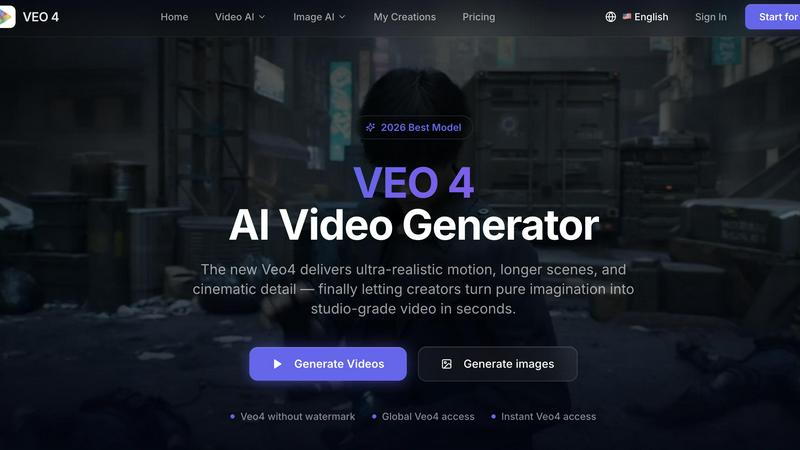
About Veo 4 video generator
Veo 4 is a next-generation AI video generator designed to help creators, marketers, and brands turn ideas into studio-quality video content in seconds. Unlike many AI video tools that feel experimental or produce jerky, low-detail results, Veo 4 focuses on delivering ultra-realistic motion, longer scenes, and cinematic detail that can actually be used in real-world projects. The tool supports three core creation paths: text to video, image to video, and video to video. This means you can start with a simple written prompt, a still image, or an existing video clip and transform it into polished, export-ready footage. Veo 4 is built for speed and clarity, making it especially useful for marketing and creative teams who need to produce first drafts quickly, compare variations, and shorten the gap between concept and publishable media. Whether you are working on product launches, paid social ads, branded storytelling, or short-form content, Veo 4 gives you smoother motion, cleaner framing, and more intentional scenes. The tool also supports longer clips for narrative sequences and campaign concepts, with clean exports that move straight into editing workflows or landing pages. With global access and no watermark on outputs, Veo 4 is a practical, production-ready solution for anyone who needs stronger video faster. The platform is designed as a complete AI video creation workflow for teams that want to turn text prompts, images, or existing video into clearer, more usable output without a slow production process.
Features
Text to Video Generation
Start with a simple text prompt to explore a new concept and transform it into a polished, cinematic video clip. Veo 4 interprets your written description and generates ultra-realistic motion, intentional framing, and coherent scenes that match your creative direction. This feature is ideal for brainstorming visual ideas, creating first drafts of ad concepts, or producing short-form content from scratch without needing any source footage or images. The text to video path gives creators maximum flexibility to experiment with different narratives, styles, and visual approaches quickly.
Image to Video Animation
Upload a still image and let Veo 4 animate it into a dynamic video with smooth motion and realistic scene progression. This feature is particularly useful when you have a specific visual direction or existing brand asset that needs to be brought to life. The tool analyzes your image and generates natural movement, camera pans, and subtle animations that maintain the original composition while adding cinematic quality. Image to video is perfect for transforming product photos, concept art, or brand graphics into engaging video content for ads, social media, or landing pages.
Video to Video Enhancement
Take existing footage, rough cuts, or source material and restyle, extend, or improve it without rebuilding from scratch. Veo 4 can analyze your input video and apply new visual styles, stronger pacing, cleaner motion, and improved framing. This feature gives the tool a practical role in iteration, not just first-pass generation. Teams can take raw clips, improve their quality, change the aesthetic direction, or extend scenes to fit longer narrative sequences. Video to video is essential for post-production workflows where existing content needs refinement or a fresh look.
Ultra-Realistic Motion and Scene Control
Veo 4 delivers smoother motion, cleaner framing, and scenes that feel more intentional compared to typical AI video generators. The model is trained to produce ultra-realistic movement that avoids the jerky, low-detail results common in experimental tools. Users can adjust aspect ratio, motion direction, and visual style to match specific ad, product, or brand goals. This level of control ensures that outputs are not just technically impressive but also practically usable for commercial projects, from paid social videos to branded storytelling and product explainers.
Use Cases
Product Launches and Brand Storytelling
Marketing teams can use Veo 4 to quickly produce high-quality video content for product launches, brand campaigns, and narrative sequences. By starting with a text prompt or product image, teams can generate multiple video variations that explore different visual angles, storytelling approaches, and emotional tones. The ability to create longer clips with clean exports makes it easy to assemble campaign concepts that move straight into editing workflows or landing pages. This accelerates the production timeline from concept to publishable media, allowing brands to respond faster to market opportunities.
Paid Social Video Ads and Short-Form Content
Create compelling video ads for social media platforms like Instagram, TikTok, Facebook, and YouTube with Veo 4's fast generation capabilities. The tool supports common aspect ratios such as 9:16 for vertical social content and 16:9 for traditional formats. Creators can generate multiple ad variations in minutes, compare them side by side, and select the strongest performers for paid campaigns. The ultra-realistic motion and cinematic detail help ads stand out in crowded social feeds, while the no-watermark output ensures professional presentation across all channels.
Creative Concept Testing and Iteration
Agencies and creative teams can use Veo 4 to rapidly prototype visual concepts and test different creative directions before committing to full production. By generating first drafts from text prompts or reference images, teams can evaluate motion quality, framing, and scene composition early in the creative process. The video to video feature is particularly valuable for iterating on existing rough cuts, allowing teams to restyle footage, adjust pacing, or improve motion without starting over. This iterative workflow reduces production risk and helps teams arrive at stronger final assets faster.
Product Explainers and Landing Page Content
Create polished product explainer videos and landing page content using Veo 4's text to video and image to video capabilities. Start with product descriptions or reference images to generate clear, engaging videos that demonstrate product features, benefits, and use cases. The longer clip support allows for narrative sequences that guide viewers through a complete product story. Clean exports mean these videos can be directly embedded into websites, landing pages, or email campaigns without additional editing. This makes Veo 4 a practical tool for e-commerce brands, SaaS companies, and any business needing professional product video content quickly.
Frequently Asked Questions
What makes Veo 4 different from other AI video generators?
Veo 4 focuses on delivering ultra-realistic motion, longer scenes, and cinematic detail that can actually be used in real-world projects. Unlike many AI video tools that produce jerky, low-detail results, Veo 4 provides smoother motion, cleaner framing, and more intentional scenes suitable for professional marketing and creative work. It supports three creation paths (text, image, and video to video) and offers global access with no watermark on outputs.
Can I use Veo 4 for commercial projects?
Yes, Veo 4 is designed specifically for commercial use by creators, marketers, agencies, and product teams. The tool outputs clean, watermark-free videos that can be used in ads, landing pages, social campaigns, product launches, and branded storytelling. The ultra-realistic quality and longer clip support make it suitable for professional marketing workflows from concept to publishable media.
What creation modes does Veo 4 support?
Veo 4 supports three core creation paths: text to video, image to video, and video to video. Text to video lets you start with a written prompt to generate new content. Image to video animates a still image into a dynamic clip. Video to video allows you to restyle, extend, or improve existing footage without rebuilding from scratch. This flexibility supports both first-pass generation and iterative refinement.
Is there a watermark on Veo 4 generated videos?
No, Veo 4 does not add watermarks to its video outputs. This makes the tool practical for professional use where clean, branded content is required for ads, social media, landing pages, and other commercial applications. Users can export polished videos that move directly into editing workflows or final publishing without the need for additional watermark removal.
Similar to Veo 4 video generator
Nano AI
Create and edit AI images, generate videos, and compare models in one creative workbench.
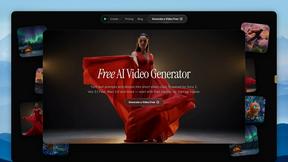
FreeVideoGenerator
Free AI video generator: turn text prompts and photos into video clips with Sora 2, Veo 3.1, Wan and more. Free starter credits, no watermark download
FreeCreate
Create AI images from text or reference photos and turn prompts or still images into short videos. Start free, no account needed.
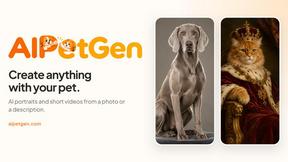
AIPetGen
AIPetGen turns a photo of your dog, cat, or other pet, or a written description, into a new picture or a short animation.
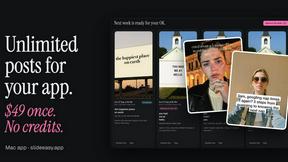
Slide-Easy
A Mac app that turns your App Store link into a week of Instagram Reels and carousels, written from your real reviews.