

Alternatives to Veo 4 video generator
Veo 4 transforms text, images, or video into studio-quality clips with realistic motion and cinematic detail in seconds.
Explore 20 alternatives to Veo 4 video generator. Compare features, pricing, and find the best fit for your needs.

Nano AI
Create and edit AI images, generate videos, and compare models in one creative workbench.

FreeVideoGenerator
Free AI video generator: turn text prompts and photos into video clips with Sora 2, Veo 3.1, Wan and more. Free starter credits, no watermark download

FreeCreate
Create AI images from text or reference photos and turn prompts or still images into short videos. Start free, no account needed.

AIPetGen
AIPetGen turns a photo of your dog, cat, or other pet, or a written description, into a new picture or a short animation.

Slide-Easy
A Mac app that turns your App Store link into a week of Instagram Reels and carousels, written from your real reviews.





Video2URL
Turn videos, images, PDFs, and files into shareable links with fast uploads and privacy-friendly controls.
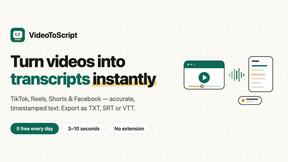
VideoToScript
Turn TikTok, Reels, Shorts, Facebook videos, audio, and video into accurate timestamped transcripts with TXT, SRT, and VTT exports.



UGCad AI
AI UGC video ad Generator which Turn a URL, prompt, or template into a ready video ads

VideoAny BR
Create AI videos from text or images, generate images and audio in one online studio.

VideoAny BE
Create AI videos from text or images, generate images and audio in one online studio.
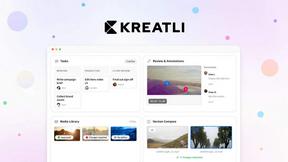

Vivideo
Vivideo lets you turn text or images into high-quality videos up to 10 minutes long using over 30 top AI models, all free with no watermark.

happy oyster
Happy Oyster AI is a real-time interactive platform for creating, wandering through, and directing persistent AI-generated worlds.
About Veo 4 video generator Alternatives
Veo 4 is a next-generation AI video generator that falls within the rapidly expanding category of generative video tools. It is designed to transform text prompts, still images, or existing video clips into high-quality, cinematic footage with realistic motion and smooth detail. While Veo 4 offers impressive speed and production-ready outputs, users often seek alternatives for a variety of practical reasons. These can include differences in pricing models, the need for specific stylistic outputs that differ from Veo 4’s signature look, requirements for longer generation times or higher resolution, or the desire for a tool that integrates more seamlessly with a specific existing software ecosystem or workflow. When evaluating alternatives to a tool like Veo 4, it is important to focus on core performance metrics and practical use cases. Key factors to consider include the realism of motion and object consistency across frames, the maximum length of generated clips, and the flexibility of input methods (text, image, or video). You should also assess the tool’s pricing structure, whether it offers a free tier or trial, and the quality of export options, including resolution and the presence of watermarks. Ultimately, the best choice will depend on your specific project needs, such as whether you prioritize speed for rapid prototyping, cinematic detail for narrative work, or a specific aesthetic for branded content.
FAQs about Veo 4 video generator Alternatives
What is Veo 4 video generator?
Veo 4 is a next-generation AI video generator that turns text, images, or video into studio-quality clips with realistic motion and cinematic detail in seconds. It is designed to help creators, marketers, and brands produce polished, export-ready footage without the need for extensive manual editing. The tool supports text to video, image to video, and video to video creation paths, making it a versatile solution for rapid content production.
Who is Veo 4 video generator for?
Veo 4 is built for creators, marketers, and brands who need to produce high-quality video content quickly. It is especially useful for marketing and creative teams working on product launches, paid social ads, branded storytelling, and short-form content. The tool is designed to shorten the gap between concept and publishable media, making it ideal for professionals who require fast first drafts and clean exports that move directly into editing workflows or landing pages.
What are the main features of Veo 4 video generator?
Veo 4 offers three core creation paths: text to video, image to video, and video to video, allowing users to start with a simple written prompt, a still image, or an existing video clip. It focuses on delivering ultra-realistic motion, longer scenes, and cinematic detail that can be used in real-world projects. Additional features include support for longer clips suitable for narrative sequences, clean exports without watermarks, and global access for users worldwide.
Is Veo 4 video generator free?
The provided content does not specify whether Veo 4 video generator is free or has a specific pricing model. However, it is described as a practical, production-ready solution for professionals, which typically suggests a paid subscription or usage-based pricing. Users should check the official Veo 4 website or documentation for the most accurate and up-to-date pricing information.