
happy oyster
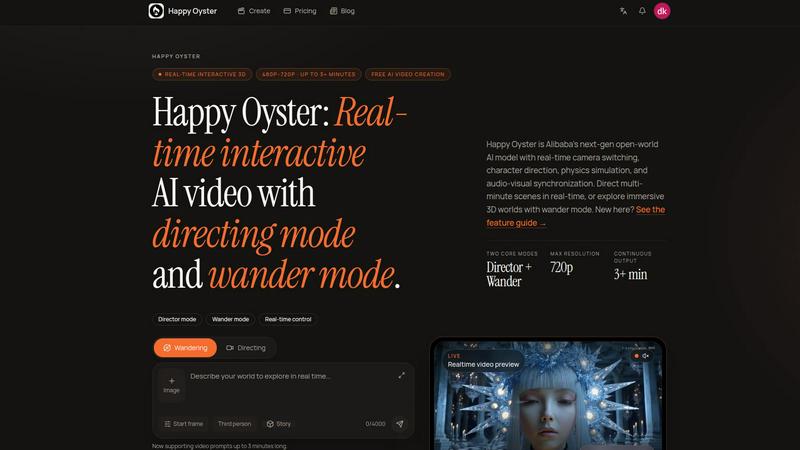
Happy Oyster AI is a real-time interactive platform for creating, wandering through, and directing persistent AI-generated worlds.
product Details
Explore More
Alternatives
About happy oyster
Happy Oyster is an independent AI video platform designed for creators who want intentional control over their output rather than relying on random generative results. Unlike traditional AI video tools that depend on single text prompts to produce a clip, Happy Oyster introduces a world-model approach where users can create entire 3D spaces, wander through them, and direct the camera and story in real time. The platform operates on a simple premise: stop hoping for lucky prompts and start directing with purpose. It offers two distinct modes of creation. Director Mode allows users to define subject, environment, lighting, camera motion, and action with precision, and supports reference images to anchor visual style. Wander Mode enables free exploration of AI-generated 3D worlds in first- or third-person view, making it ideal for mood boarding, concept scouting, or ambient content generation. Happy Oyster is built for marketers, e-commerce professionals, content creators, and artists who need production-ready video drafts, product animations, social media hooks, or pre-production scene blocking. The platform provides real-time preview for iterative creation, transparent credits, and commercial usage rights subject to terms. New users can start with 500 free credits upon sign-up with no credit card required. Happy Oyster is not affiliated with any larger corporate entity and is specifically designed as an independent workspace for storytellers who value creative control and structured input over randomness.
Features
Director Mode
Director Mode gives creators the ability to craft AI video with deliberate intention. Instead of relying on a single text prompt and hoping for the best, users can specify subject details, environment settings, lighting conditions, camera motion paths, and character actions. Reference images can be uploaded to anchor the visual style and ensure consistency across outputs. The mode supports export durations of 5 seconds, 10 seconds, or 15 seconds, multiple aspect ratios, and 720p resolution, making it suitable for professional video production workflows.
Wander Mode
Wander Mode enables freeform exploration of AI-generated 3D worlds in either first-person or third-person perspective. This mode is designed for creative discovery rather than structured output. Users can navigate through generated environments to test atmosphere, scale, and spatial relationships. It is particularly useful for mood boarding, concept scouting, ambient content creation, and evaluating whether a generated world feels immersive before committing to a directed narrative.
World-First Creation
Happy Oyster operates on a world-first creation model, meaning users start by building an entire 3D environment rather than generating a single clip. The platform allows users to define landmarks, scale, atmosphere, and characters within a persistent scene. This world then becomes the stage for both wandering and directing, enabling a seamless transition from exploration to structured storytelling. The world remains responsive as users steer the camera and narrative.
Real-Time World Preview
The platform provides a live, real-time preview of the generated world as it is being created. This allows users to see immediate feedback on their inputs and make iterative adjustments before finalizing any output. The preview supports both wandering and directing modes, giving creators the ability to test camera angles, lighting effects, and character placements on the fly. This feature significantly reduces trial and error compared to traditional AI video generation.
Use Cases
Marketing Video Drafts
Marketers can use Happy Oyster to quickly turn creative briefs into video drafts. By specifying subject, environment, lighting, and camera motion in Director Mode, marketing teams can produce initial video concepts in minutes rather than days. The ability to upload reference images ensures brand consistency across drafts, and the multiple aspect ratio options allow for easy adaptation to different social media platforms and advertising formats.
E-Commerce Product Animation
E-commerce professionals can bring static product photos to life by adding controlled motion and environmental context. Using reference images of products, users can define how the item moves, interacts with lighting, and appears within a generated scene. This is ideal for creating product demos, lifestyle animations, and promotional clips that showcase items in action without requiring physical photoshoots or complex 3D modeling software.
Social Media Content Prototyping
Content creators and social media managers can prototype hooks and reels with precision using Happy Oyster. The 5-second, 10-second, and 15-second export durations are tailored for short-form video platforms. Creators can test multiple visual directions quickly by adjusting subject, lighting, and camera motion, allowing them to iterate on concepts before committing to full production. Wander Mode also helps discover unexpected visual ideas for content.
Pre-Production Scene Blocking
Artists and filmmakers can use Happy Oyster for pre-production scene blocking and visual tone testing. By creating a world with specific landmarks, scale, and atmosphere, directors can block out camera movements, test character placements, and evaluate lighting scenarios before actual production begins. This reduces costly on-set experimentation and helps creative teams align on visual direction early in the development process.
Frequently Asked Questions
How does Happy Oyster differ from other AI video tools?
Happy Oyster is built around a world-model approach rather than single-prompt generation. Instead of generating a random clip from a text prompt, users first create a persistent 3D world with landmarks, atmosphere, and characters. They can then wander through that world to explore it and direct the camera and story within it. This gives creators far more control over the final output compared to tools that rely on unpredictable AI generation from isolated prompts.
What export options are available in Director Mode?
Director Mode supports export durations of 5 seconds, 10 seconds, or 15 seconds. Users can choose from multiple aspect ratios to suit different platforms, and the output resolution is set at 720p. These settings are designed to be production-ready for social media content, marketing materials, and pre-production visualizations. The platform also supports reference image uploads to maintain visual consistency across exports.
What is the difference between Wandering and Directing?
Wandering is a freeform exploration mode where users navigate AI-generated 3D worlds in first-person or third-person view. It is meant for discovery, mood boarding, and concept scouting. Directing is a structured mode where users define specific subject, environment, lighting, camera motion, and action to produce intentional video clips. Wandering currently supports approximately 1 minute of exploration, while Directing supports roughly 3 minutes of guided narrative.
Is Happy Oyster free to use and what are the usage rights?
Happy Oyster offers a free start with 500 credits upon sign-up, and no credit card is required to begin. Credits are used for generating worlds, wandering, and directing. The platform provides transparent credit usage and commercial usage rights for outputs, subject to the platform's Terms of Service and the user's rights to any uploaded reference materials. Users retain ownership of their uploaded content and generated works under the specified terms.
Similar to happy oyster

Video2URL
Turn videos, images, PDFs, and files into shareable links with fast uploads and privacy-friendly controls.
VideoToScript
Turn TikTok, Reels, Shorts, Facebook videos, audio, and video into accurate timestamped transcripts with TXT, SRT, and VTT exports.
Artaivo
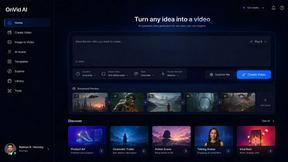
Create AI videos, images, avatars, and audio in one creative workspace.
UGCad AI
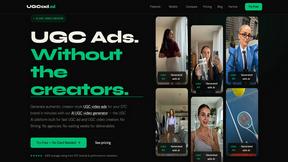
AI UGC video ad Generator which Turn a URL, prompt, or template into a ready video ads
VideoAny BR
Create AI videos from text or images, generate images and audio in one online studio.
VideoAny BE
Create AI videos from text or images, generate images and audio in one online studio.