

Alternatives to RecordFlow
RecordFlow automatically saves Zoom cloud recordings to Google Drive and can delete them from Zoom to free storage.
Explore 20 alternatives to RecordFlow. Compare features, pricing, and find the best fit for your needs.
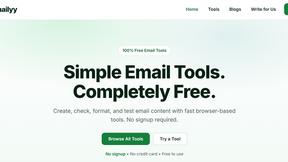
Emailyy
Free email tools for signatures, subject lines, HTML previews, word counts, and email headers. Browser-based, simple to use, and no signup required.

Uniclip
Clip pages, take full-page screenshots and batch-capture list data to Notion, Feishu, Obsidian, Markdown, CSV or JSON.
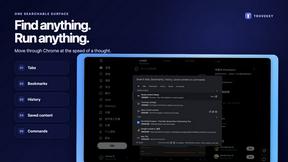
TroveKey
Search tabs, Chrome bookmarks and history, run browser commands, and save webpages and social posts locally—no account.
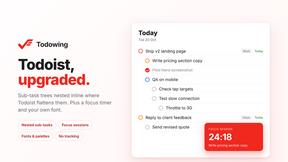
Todowing
Chrome extension that shows nested sub-tasks inline in Todoist's Today, Upcoming, Filters, and Labels views. Free tier, $19.99 lifetime unlock.
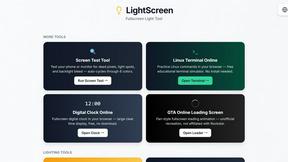
LightScreen
Free light screen tool online. Turn any display into a flashlight, ambient light, or solid-color screen. No download or sign-up.
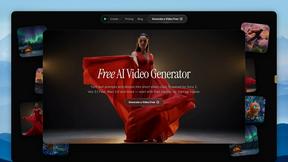
FreeVideoGenerator
Free AI video generator: turn text prompts and photos into video clips with Sora 2, Veo 3.1, Wan and more. Free starter credits, no watermark download
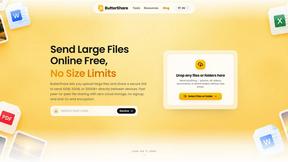
ButterShare
ButterShare is a browser-based peer-to-peer file transfer tool that lets you send large files and folders directly between devices without signup or c
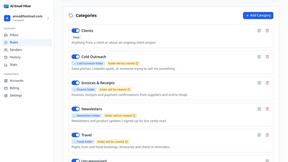
AI Email Filter
AI Email Filter sorts incoming mail into folders using plain-language prompts you write. Works with any IMAP mailbox; bring your own LLM if you want.

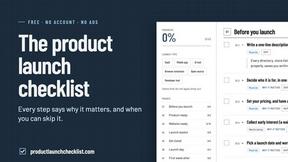
Product Launch Checklist
A free launch checklist for SaaS, apps, AI tools and more. Every step says why it matters and when you can skip it.
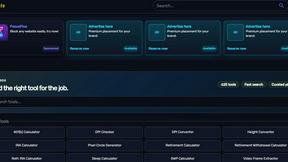
Kody Tools
Free collection of online developer utilities, code formatters, and digital converters designed to streamline your daily workflow.
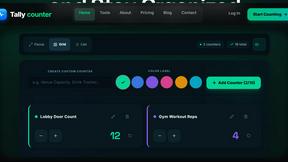
tally counter
Online tally counter for attendance, workouts, inventory, visitors, sports scores, habits, and everyday counting.


iHatePosting
Create once, tailor for each platform, and schedule posts across 14 social networks from one simple dashboard.
PDFWix
PDFWix is a free online PDF toolkit designed to make everyday PDF tasks simple, fast, and private.


About RecordFlow Alternatives
RecordFlow is a specialized automation tool that sits at the intersection of productivity and cloud management, designed specifically to solve the common problem of losing Zoom cloud recordings. It automatically transfers completed Zoom recordings directly into a user’s Google Drive, eliminating the need for manual downloads and reducing reliance on costly Zoom storage. By categorizing files by date and supporting multiple formats including video, audio, transcripts, and chat logs, it provides a streamlined archival solution for professionals who need reliable, long-term access to their meeting content. Users often seek alternatives to RecordFlow due to specific pricing constraints, the need for integration with different cloud storage providers beyond Google Drive, or a desire for more granular control over the transfer and deletion process. Some may require a solution that works with other video conferencing platforms or offers advanced team-based administration features. When evaluating an alternative, it is crucial to look for a tool that offers automated, trigger-based transfers, robust error handling for large files, strong security protocols like OAuth 2.0 and encryption, and a clear policy on data storage to ensure your recordings are never held on a third-party server without your consent.
FAQs about RecordFlow Alternatives
What is RecordFlow?
RecordFlow is a productivity tool that automatically backs up your Zoom cloud recordings to Google Drive. It transfers files as soon as a meeting ends, including a backfill of recordings from the past two years. The service handles video, audio, transcripts, and chat logs, organizing them by year and date for easy access.
Who is RecordFlow for?
RecordFlow is designed for professionals who rely on Zoom recordings for their work, such as coaches, consultants, therapists, professors, and small teams. These users need a reliable way to preserve important meeting content without manual effort and cannot afford to lose a recording due to storage limits or accidental deletion. It is ideal for anyone who wants a 'set it and forget it' archival solution.
What are the main features of RecordFlow?
Key features include automatic, instant syncing of recordings to Google Drive, an optional auto-delete function that removes files from Zoom once the Drive copy is verified, and support for multiple file types (MP4, M4A, VTT, and formatted Google Docs). The tool also uses chunked transfers for large files, smart deduplication to prevent duplicate copies, and automatic retries for failed transfers.
Is RecordFlow secure?
Yes, RecordFlow is built with security as a priority. It uses OAuth 2.0 for authentication and encrypts data with AES-256 standards. Importantly, recordings stream directly from Zoom to your Google Drive, meaning RecordFlow never stores your files on its own servers, ensuring your data remains under your control.