

Alternatives to Tagada
Tagada parses your Gmail into clickable sentences, letting you highlight and tag key details locally with complete privacy.
Explore 20 alternatives to Tagada. Compare features, pricing, and find the best fit for your needs.

Video2URL
Turn videos, images, PDFs, and files into shareable links with fast uploads and privacy-friendly controls.


VideoToScript
Turn TikTok, Reels, Shorts, Facebook videos, audio, and video into accurate timestamped transcripts with TXT, SRT, and VTT exports.




Wisegrid
Wisegrid helps project-driven teams manage projects, workflows, resources, and reporting in a familiar spreadsheet-style workspace.


Postqued
Schedule and publish social content across 10 platforms with one dashboard, API, and MCP built for teams and AI agents.

401k Calculator
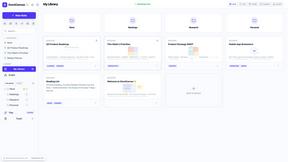
401 k Calculator.info is a free online tool to estimate retirement savings, employer match, and future 401(k) growth for smarter financial planning.
ihatepdf.cv
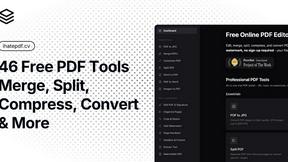
ihatepdf.cv is a privacy-first, browser-based PDF platform that provides an extensive suite of tools for editing, converting, compressing, organizing,

TeamSlide
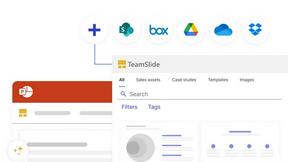
TeamSlide lets your team build on-brand presentations instantly by syncing approved slides from your content system directly into PowerPoint.
readywhen
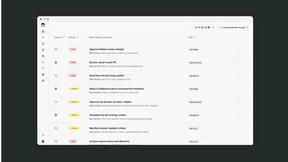
readywhen automatically captures your decisions and commitments from tools you already use, then drafts your next steps so you just approve.

Vibeworker
Vibeworker uses AI to analyze every new Upwork job against your profile and instantly notify you only when a strong match appears.
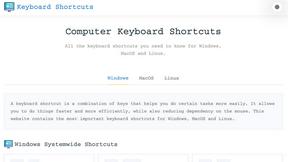
Online Keyboard Shortcuts
OnlineShortcuts.com provides a comprehensive reference of essential keyboard shortcuts for Windows, MacOS, and Linux to boost your productivity.

MacBrightness
MacBrightness unlocks your Mac's hidden brightness range, doubling screen visibility in direct sunlight with your existing keys.

RecordFlow
RecordFlow automatically saves Zoom cloud recordings to Google Drive and can delete them from Zoom to free storage.
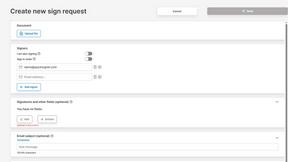
QuickSigner
QuickSigner simplifies eSigning with a secure, efficient platform for collecting legally binding signatures on any document in seconds.
About Tagada Alternatives
Tagada is a specialized browser extension designed for productivity and email management, belonging to the category of tools that enhance workflow within Gmail without relying on external servers. It sets itself apart by parsing incoming emails into clickable sentences, allowing users to highlight, tag, and organize content by category directly within the Gmail interface, all while processing data entirely locally for maximum privacy. Users commonly look for alternatives to Tagada due to specific needs such as different pricing models, a desire for additional collaboration features, or platform compatibility requirements that may not align with a browser-extension-only approach. When evaluating alternatives to Tagada, you should prioritize tools that offer robust email parsing and categorization capabilities without compromising data security. Look for solutions that provide seamless integration with your existing email workflow, ideally with support for multiple email clients beyond Gmail if needed. Consider whether the tool offers advanced features like automated reply generation, team collaboration options, or customizable tagging systems, and verify that it processes data locally or through a transparent, audited security protocol to meet your privacy standards. Finally, assess the pricing structure to ensure it fits your budget, whether as a one-time purchase or a subscription that scales with your usage.
FAQs about Tagada Alternatives
What is Tagada?
Tagada is a browser extension that transforms how you read and reply to emails in Gmail by parsing incoming messages into clickable sentences. It allows you to highlight, tag, and organize content by category with a single click, then generates clean reply templates based on your selections. All processing happens 100% locally on your device, meaning no data is sent to the cloud or to third-party servers.
Who is Tagada for?
Tagada is ideal for professionals, support teams, freelancers, consultants, and anyone who manages long or complex email threads. It is designed for users who want to cut response time, structure their replies more clearly, and keep their email data fully private. The tool works directly inside Gmail, requiring no new software to learn or install.
Is Tagada free?
Tagada may offer a free trial or a freemium version with limited features, but specific pricing details should be confirmed on the official website. The tool is designed to provide value through its local processing and automated reply generation, which can significantly reduce time spent on email management. For full access to all features, a paid subscription or one-time purchase may be required.
What are the main features of Tagada?
Tagada’s main features include instant parsing of emails into selectable sentences, one-click highlighting and tagging by category, and auto-generated reply templates built from your selections. It processes all data locally with no AI, no cloud, and no third-party servers, ensuring complete privacy. The extension works directly inside Gmail, so there is no new tool to learn, and it helps users respond faster and more clearly.