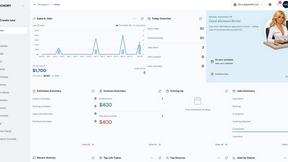

QuickSigner
QuickSigner simplifies eSigning with a secure, efficient platform for collecting legally binding signatures on any document in seconds.
product Details
Explore More
Alternatives
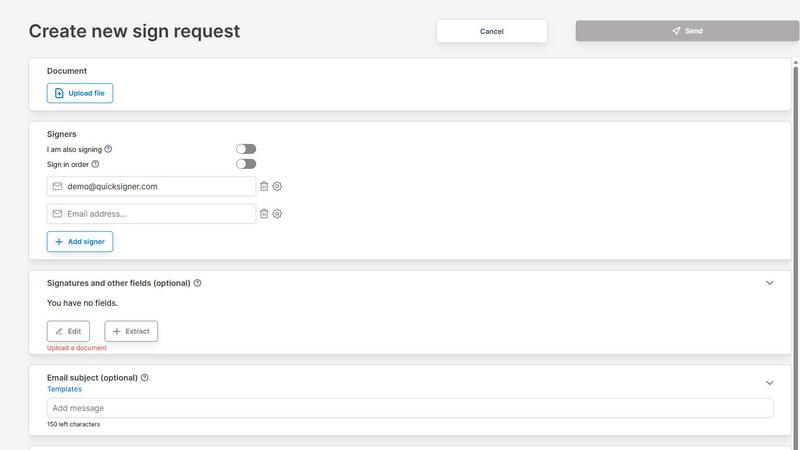
About QuickSigner
QuickSigner is a powerful online application designed to streamline the electronic signature process, allowing users to sign, send, and finalize documents in a matter of minutes. Whether you are a small business, a large enterprise, or an individual, QuickSigner provides an efficient solution to eliminate the traditional delays associated with document signing. With its user-friendly interface, you can easily upload a variety of document types, add recipients, and include necessary fields for signatures or notes. QuickSigner is built on the foundation of trust and security, featuring Adobe Approved Trust List (AATL) electronic signatures and ISO 27001 certification, ensuring your documents are handled with the utmost confidentiality. This comprehensive tool allows you to save time, reduce costs, and enhance collaboration without compromising on legal security, making it an ideal choice for any organization looking to improve its operational efficiency.
Features
Document Upload and Management
QuickSigner allows users to effortlessly drag and drop various document types, including PDFs and Word documents, directly into the platform. This feature simplifies the initial stage of document preparation, enabling you to get started quickly without complicated uploads.
Customizable Signature Fields
With QuickSigner, users can easily add signature, date, and text fields to their documents. You can enter signer emails and place these fields precisely where they are needed, ensuring a seamless signing experience for all parties involved.
Secure Signing Process
Recipients can sign documents from any device via a secure link, eliminating the need for account creation or software installation. This feature enhances accessibility while maintaining a high level of security for all electronic signatures.
Real-Time Tracking and Notifications
QuickSigner offers real-time tracking of signing progress, allowing users to monitor the status of their documents as they move through the signing process. Once complete, you receive the finalized, legally binding document instantly, ensuring you stay informed every step of the way.
Use Cases
Streamlining Business Agreements
Small businesses can leverage QuickSigner to manage their contracts and agreements efficiently. By replacing lengthy processes with QuickSigner, they can finalize deals faster, improving cash flow and client satisfaction.
Enhancing Collaboration among Teams
Teams working on collaborative projects can use QuickSigner to easily share and sign documents among team members. This tool simplifies the process, reducing delays and ensuring that everyone is on the same page.
Facilitating Client Onboarding
Service-oriented businesses can use QuickSigner to streamline their client onboarding process. By sending contracts and agreements digitally, businesses can reduce the time it takes to onboard new clients, enhancing their overall experience.
Optimizing Remote Workflows
In today’s remote working environment, QuickSigner provides an essential tool for individuals and teams to manage their document signing needs securely and efficiently, regardless of their location, thus maintaining productivity and workflow continuity.
Frequently Asked Questions
How secure is QuickSigner?
QuickSigner utilizes industry-standard security measures, including encryption and ISO 27001 certification, to ensure that all documents are handled with the highest level of confidentiality and security.
Can I use QuickSigner on mobile devices?
Yes, QuickSigner is designed to be accessible from any device, including smartphones and tablets, allowing users to sign documents on the go without any hassle.
Is there a limit to the number of documents I can sign?
The number of documents you can sign varies by pricing plan. The Free plan allows up to 3 documents per month, while the Business plan offers unlimited documents, catering to different user needs.
What types of documents can I upload?
QuickSigner supports various document types, including PDF and Word files, making it versatile for different use cases, whether for contracts, agreements, or other important documents.
Similar to QuickSigner
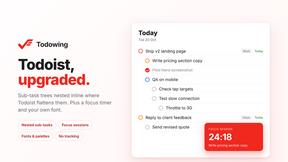
Todowing
Chrome extension that shows nested sub-tasks inline in Todoist's Today, Upcoming, Filters, and Labels views. Free tier, $19.99 lifetime unlock.
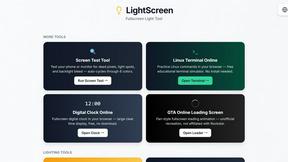
LightScreen
Free light screen tool online. Turn any display into a flashlight, ambient light, or solid-color screen. No download or sign-up.

FreeVideoGenerator
Free AI video generator: turn text prompts and photos into video clips with Sora 2, Veo 3.1, Wan and more. Free starter credits, no watermark download
Novastart
Apps and files on an infinite canvas where people and AI agents work together.
ButterShare
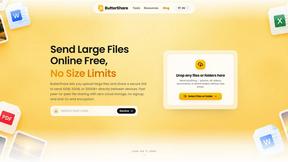
ButterShare is a browser-based peer-to-peer file transfer tool that lets you send large files and folders directly between devices without signup or c
AI Email Filter
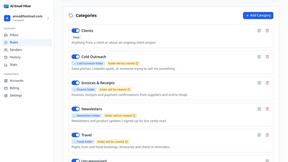
AI Email Filter sorts incoming mail into folders using plain-language prompts you write. Works with any IMAP mailbox; bring your own LLM if you want.