

Very Good Calendar Sync
Very Good Calendar Sync effortlessly aligns your work, personal, and client calendars while safeguarding your privacy.
product Details
Explore More
Alternatives
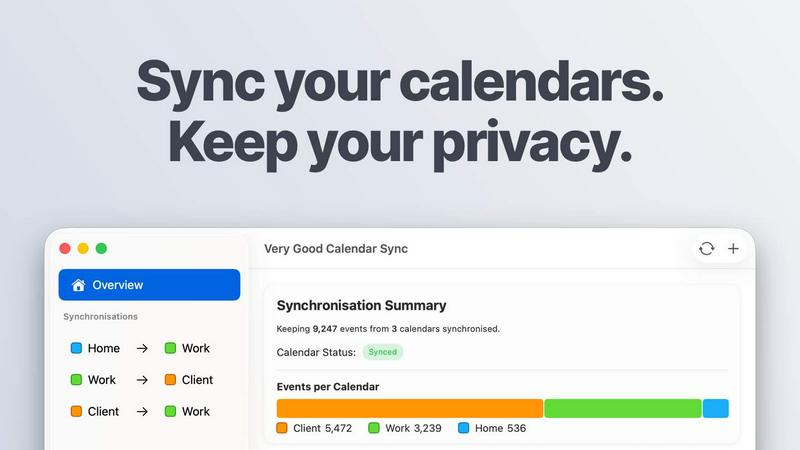
About Very Good Calendar Sync
Very Good Calendar Sync is a powerful application designed for macOS that ensures your work, personal, and client calendars are seamlessly aligned without compromising your privacy. This innovative tool automatically synchronizes changes across your calendars, allowing users to set it up once and forget about it. Whether you are a consultant managing client appointments, an employee balancing multiple schedules, or a freelancer juggling projects, Very Good Calendar Sync offers a straightforward solution to calendar chaos. Its main value proposition lies in its ability to sync various calendar types—including Google, Microsoft, and Apple—while keeping your data entirely on your Mac. With no third-party access or cloud storage involved, you maintain complete control over your sensitive calendar information.
Features
Automatic Background Synchronization
Very Good Calendar Sync runs quietly in the background, monitoring your calendars for any changes. Once set up, it automatically synchronizes updates without requiring any manual input, allowing you to focus on your tasks without worrying about calendar conflicts.
Customizable Synchronization Rules
Users have complete control over what gets synchronized. You can choose specific weekdays, define daily hours for synchronization, and set start dates. This feature is particularly useful for those who want to skip weekends or sync only during work hours.
Privacy-Focused Design
The app prioritizes your privacy by ensuring that your calendar data never leaves your Mac. There are no credentials to share, no third-party access, and no cloud storage, providing peace of mind that your sensitive information remains secure.
Event Cloning and Redaction
Share your availability while maintaining your privacy. Very Good Calendar Sync allows you to clone events with full details or redact specific information, such as title, description, and location, ensuring that others see only when you are busy without exposing personal details.
Use Cases
Consultants Managing Client Calendars
Consultants can effortlessly keep multiple client calendars in sync, eliminating the need for manual cross-checking. This feature reduces the risk of double-bookings and ensures accurate availability is always displayed.
Employees with Multiple Schedules
For employees juggling both work and personal commitments, Very Good Calendar Sync provides a seamless way to manage appointments. Users can avoid conflicts by ensuring that their personal appointments are visible to their colleagues.
Freelancers Juggling Projects
Freelancers often have to manage several projects with different deadlines. This application allows them to synchronize client meetings and personal tasks effortlessly, ensuring they do not miss important appointments or deadlines.
Agencies and Cross-Functional Teams
Agencies can benefit significantly from this tool by balancing internal schedules with client-facing calendars. It provides real-time availability to all team members, enhancing collaboration and reducing confusion around shared schedules.
Pricing
Your first synchronization between two calendars is completely free. When you are ready for more, you can choose from the following plans:
- MONTHLY: £1.99 per month with flexible cancellation.
- ANNUAL: £19.99 per year, offering over 15% savings compared to monthly.
- LIFETIME: £39.99 one-time payment for lifetime access, including all future updates.
All plans include unlimited synchronizations, support for all calendar providers, and a per-user license for all your Macs. Download for free and select your plan within the app.
Frequently Asked Questions
Do you store any of my calendar data?
No, Very Good Calendar Sync does not store any of your calendar data. All synchronization occurs locally on your Mac, ensuring your information remains confidential and secure.
Which calendar providers are supported?
Very Good Calendar Sync supports any calendar that integrates with macOS Calendar.app, including Google Calendar, Microsoft Outlook, and Apple iCloud, as well as any CalDAV accounts.
Does it sync when my Mac is off or asleep?
No, synchronization requires your Mac to be powered on. The app continuously monitors your calendars and will sync once your Mac is active again.
Is this app available for Windows?
Currently, Very Good Calendar Sync is designed exclusively for macOS, and there are no plans for a Windows version at this time.
Similar to Very Good Calendar Sync
Product Launch Checklist
A free launch checklist for SaaS, apps, AI tools and more. Every step says why it matters and when you can skip it.
Kody Tools
Free collection of online developer utilities, code formatters, and digital converters designed to streamline your daily workflow.
tally counter
Online tally counter for attendance, workouts, inventory, visitors, sports scores, habits, and everyday counting.


iHatePosting
Create once, tailor for each platform, and schedule posts across 14 social networks from one simple dashboard.
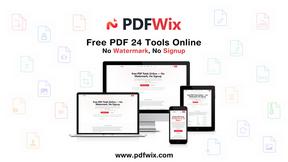
PDFWix
PDFWix is a free online PDF toolkit designed to make everyday PDF tasks simple, fast, and private.
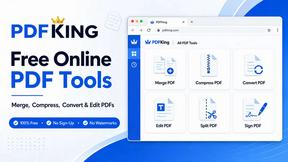
PDFKing
Free online PDF tools to merge, compress, convert, edit, sign, and manage documents—no signup, watermarks, or daily limits.
