

Alternatives to KPI Studio
KPI Studio lets you paste data, customize a chart, and export a polished video in under 60 seconds without timelines or keyframes.
Explore 14 alternatives to KPI Studio. Compare features, pricing, and find the best fit for your needs.

LinkedIn Translator
Turn rough notes into credible LinkedIn writing or decode professional jargon.
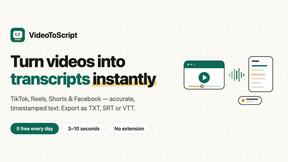
VideoToScript
Turn TikTok, Reels, Shorts, Facebook videos, audio, and video into accurate timestamped transcripts with TXT, SRT, and VTT exports.



UGCad AI
AI UGC video ad Generator which Turn a URL, prompt, or template into a ready video ads
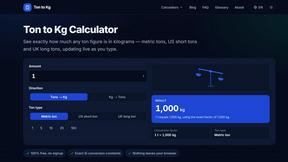
Ton to Kg Calculator
Ton To KG Calculator is a free online weight conversion tool that helps users instantly convert tons to kilograms with precision.



Sparqo AI
Sparqo AI is your AI marketing team that plans, writes, and distributes SEO and Reddit content for your approval.

Masset
Masset unifies your scattered business content into one AI-powered hub so your tools tell your story correctly.

Supaslides
Supaslides instantly transforms any brand URL into fully designed, animated carousels ready to export for every social platform.
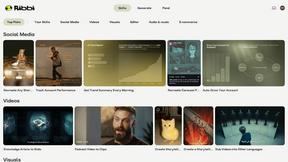
Ribbi
Ribbi is an AI-driven tool that automates social media content creation and management, enhancing engagement and growth effortlessly.

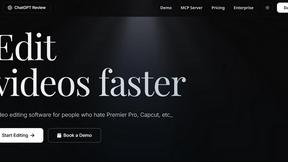
ChatGPT Image 2
ChatGPT Image 2 is an all-in-one workspace for AI image editing, generation, and video creation with commercial-grade output.
About KPI Studio Alternatives
KPI Studio is a specialized content creation tool designed for data-driven video producers who need to transform raw numbers into polished, animated chart visuals quickly. It falls under the broader category of motion graphics and data visualization software, but it specifically targets the gap between static screenshots and complex animation suites. Users commonly look for alternatives due to factors such as pricing models that may not fit their budget, a need for more advanced customization features, or platform compatibility requirements that KPI Studio does not support. Others might seek solutions that offer a wider variety of chart types or different export formats for their specific workflow. When evaluating an alternative to KPI Studio, it is essential to prioritize tools that maintain precision and speed for data visualization. Look for solutions that offer a straightforward import process for raw data, reliable animation presets, and clean export options such as transparent background video files. Additionally, consider the learning curve and whether the tool integrates seamlessly with your existing video editing software like Premiere Pro or Final Cut. The best alternative will balance ease of use with the flexibility to handle both simple, quick exports and more complex, custom data storytelling needs without sacrificing production quality.
FAQs about KPI Studio Alternatives
What is KPI Studio?
KPI Studio is a specialized software tool designed for content creators who need to animate data into polished, video-ready charts rapidly. It eliminates the need for complex motion design by allowing users to paste raw data, select a chart style, and export a fully animated visual in under 60 seconds. The tool is built specifically for data-driven video production, offering exports with transparent backgrounds for direct integration into editing timelines.
Who is KPI Studio for?
KPI Studio is built for data-driven video creators, such as YouTubers, social media managers, and business analysts, who need charts in every video but lack the time for traditional motion design. It is ideal for professionals who publish on a strict schedule and require fast, reliable visual assets without relying on freelancers or complex software like After Effects. The tool serves anyone who needs to turn precise data into engaging, animated visuals without sacrificing production speed.
What are the main features of KPI Studio?
The primary feature of KPI Studio is its ability to animate charts from pasted data in under 60 seconds, requiring no timelines or keyframes. It supports exports with transparent backgrounds, allowing charts to be dropped directly into Premiere Pro, Final Cut, or After Effects without additional editing. For advanced workflows, it also offers JSON export for deeper customization and integration into custom production pipelines.
Why choose KPI Studio over traditional methods?
KPI Studio solves the broken workflow where screenshots look amateur, Canva templates lack flexibility, and After Effects takes hours to produce a single chart. It removes the entire process of manual animation, freelancer delays, and unpredictable AI video tools by providing a precise, data-accurate solution. Users choose KPI Studio for its speed and reliability, ensuring that when a chart is needed today, it is ready immediately for publishing.